Physical Address
304 North Cardinal St.
Dorchester Center, MA 02124
Physical Address
304 North Cardinal St.
Dorchester Center, MA 02124

[FREEBIES SERIES #29]
Creating a presentation can be surprisingly time-consuming.
You may have a clear idea of what you want to communicate, but turning that idea into a well-structured presentation can involve many different tasks.
You need to organize your ideas, write the content, choose a suitable layout, create visual elements, format slides, and make sure everything looks consistent.
For many people, the design process can take almost as much time as preparing the actual content.
This is where AI-powered presentation tools can become useful.
Instead of starting every presentation from a blank slide, AI can help you organize information, generate initial content, suggest layouts, and speed up parts of the design process.
AI does not replace the need for good ideas or effective communication. However, it can reduce repetitive work and give you a faster starting point.
Here are nine smart ways AI can help you create better presentations.
Traditional presentation software gives you considerable control over individual slides.
That flexibility can be useful, but it can also create a problem: too many design decisions.
You may spend time deciding:
AI-powered presentation tools can help automate some of these decisions.
Tools such as Beautiful.ai, for example, are designed around AI-assisted presentation creation and automated slide design.
The goal is not simply to make presentations faster.
A well-designed AI presentation workflow can help you spend more time thinking about your message and less time dealing with repetitive formatting.
One of the hardest parts of creating a presentation is often deciding where to begin.
You may have a collection of notes, ideas, statistics, or research but no clear structure.
An AI presentation tool can help turn those ideas into an initial presentation outline.
For example, suppose you want to create a presentation about digital marketing.
Instead of immediately designing slides, you could start with a basic structure:
This gives you a framework before you start designing.
You can then review the structure and remove sections that are unnecessary or add information that is missing.
The important point is that AI can provide a starting structure, while you remain responsible for deciding what the presentation should actually communicate.
Designing every slide manually can consume a significant amount of time.
Even when you understand basic design principles, repetitive tasks such as arranging text, adjusting spacing, aligning objects, and maintaining consistency can become tedious.
AI presentation tools can automate parts of this process.
Instead of manually designing every element, you can focus on the content while the platform helps create an appropriate visual arrangement.
This can be especially useful when you need to create presentations regularly.
For example:
The more presentations you create, the more valuable time-saving design features can become.
Consistency is an important part of professional presentation design.
A presentation can contain excellent information but still look unpolished if every slide uses a different visual style.
Common consistency problems include:
An AI presentation tool can help reduce some of these problems by applying structured design rules across slides.
This allows your presentation to maintain a more unified visual identity.
Consistency is particularly important for businesses and organizations because presentations are often part of a broader brand identity.
Some information is difficult to communicate through paragraphs of text.
Consider data, processes, comparisons, timelines, or relationships between different concepts.
A slide filled with text may technically contain all the information, but it may not be easy for the audience to understand.
AI-assisted presentation workflows can help you think about how information could be presented visually.
For example, a complex process might be represented as:
Step 1 → Step 2 → Step 3 → Step 4
A comparison might become a two-column layout.
A sequence of events could become a timeline.
A collection of numbers could become a chart or other visual representation.
The objective is not to decorate the presentation.
The objective is to make information easier to understand.
Perfectionism can make presentation creation unnecessarily slow.
You might spend too much time trying to make the first slide perfect before you even know whether the overall presentation structure works.
AI can help you create a first draft more quickly.
Think of the first version as a starting point rather than the final presentation.
A practical workflow might look like this:
Idea → AI-generated draft → Human review → Editing → Visual refinement → Final presentation
This approach allows you to identify structural problems earlier.
You can then spend your time improving the parts that matter most.
Although AI can make presentation creation faster, the technology does not automatically know what your audience needs.
A presentation still needs:
AI can assist with the production process, but you should still evaluate every important part of the presentation.
Ask yourself:
Is this information accurate?
Does this slide support the main message?
Is the content relevant to the audience?
Can the audience understand the point quickly?
These questions remain important regardless of which presentation software you use.
The biggest advantage of AI presentations may not be a single feature.
It is the ability to connect several tasks into a more efficient workflow.
Instead of thinking of presentation creation as one large task, break it into smaller stages:
Define the audience, objective, and key message.
Create the presentation outline and organize the information.
Develop the text, examples, data, and supporting points.
Create the slides and organize the visual elements.
Check accuracy, consistency, readability, and overall flow.
Practice the delivery and make final adjustments.
AI can potentially assist with several of these stages, but human judgment remains important throughout the process.
A presentation should not require the audience to read large blocks of text on every slide.
Visual elements can help make information easier to understand and keep the audience engaged.
AI-powered presentation tools can help you create slides with a stronger balance between text and visual elements.
Depending on the tool and workflow, you may be able to work with:
The important principle is to make visuals serve the message.
Adding images simply to fill empty space does not necessarily make a presentation better.
Instead, ask whether each visual helps the audience understand, remember, or interpret the information.
For example, a presentation explaining a business process could use a visual flow rather than several paragraphs describing each step.
One of the biggest challenges in presentation design is explaining complicated information without overwhelming the audience.
When building an AI presentation, the technology can help you experiment with different ways of simplifying a message.
For example, you could start with a detailed explanation and then identify:
The result could be a simpler slide structure where each slide communicates one primary idea.
This is particularly useful for presentations involving technical, educational, or business topics.
Instead of trying to put everything on one slide, divide the information into a logical sequence.
For example:
Problem → Cause → Solution → Benefits → Next Steps
This structure gives the audience a clearer path through the presentation.
The same information may need to be presented differently depending on who is watching.
A presentation designed for business executives may emphasize results, costs, opportunities, and key metrics.
A presentation designed for students may require more explanation, examples, and educational context.
A sales presentation may focus on customer problems, benefits, solutions, and calls to action.
An AI presentation platform can help you adapt an existing deck for a different audience by suggesting changes to its structure, wording, or level of detail.
However, you should always review the result yourself.
The audience should determine the communication style—not the technology.
Before adapting a presentation, consider:
Who is the audience?
What do they already know?
What do they need to understand?
What action should they take after the presentation?
These questions can help you create a more relevant presentation regardless of whether AI is involved.
The final benefit brings everything together.
An AI presentation workflow can help reduce the amount of repetitive work involved in creating presentations.
Instead of spending most of your time manually formatting slides, you can focus more attention on:
This does not mean that every presentation should be generated automatically.
In many cases, the most effective approach is to combine AI assistance with human creativity.
You provide the ideas, information, goals, and context.
AI helps with parts of the organization and production process.
You then review, edit, refine, and finalize the presentation.
This creates a workflow where technology supports creativity rather than replacing it.
If you are new to AI presentations, you can start with a straightforward process.
Determine what you want the audience to learn, understand, or do.
Consider their knowledge level, interests, expectations, and needs.
Reduce the presentation to one central idea.
Create a logical sequence of sections and supporting points.
Let AI assist with initial structure, content organization, or slide design.
Check the information, wording, visual hierarchy, and overall flow.
Replace generic content with your own examples, data, insights, and brand elements.
A well-designed slide deck still needs effective delivery.
This workflow can help you avoid one of the biggest mistakes people make with AI: accepting the first generated result without reviewing it.
If you want to explore AI presentation creation in greater detail, we are also sharing a free ebook:
The DeepL Advantage is not the resource featured in this article. Instead, this freebie is:
Beautiful.ai in Action: Create Stunning Presentations with AI Effortlessly
The ebook explores how AI-powered presentation creation can help simplify the process of designing professional-looking presentations.
It can be useful for:
If you are interested in learning more about using AI to create presentations more efficiently, this ebook provides an additional resource to explore.
AI can help create a presentation, but it cannot completely replace the skills required to communicate effectively.
A successful AI presentation still depends on your ability to:
Technology can reduce some of the production work, but the quality of the underlying message remains important.
Think of AI as an assistant rather than the presenter.
If you enjoy exploring AI tools, digital products, and practical resources, visit the freebies section in this blog.
You can discover free resources covering topics such as AI, digital marketing, content creation, branding, templates, and online business.
These resources can help you experiment with new tools and ideas without having to create everything from scratch.
This free eBook is just the beginning.
If you’re serious about expanding your AI knowledge, consider upgrading to the AI Domination Bundle.
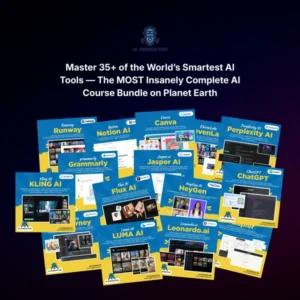
The bundle includes a comprehensive collection of premium resources designed for creators, entrepreneurs, marketers, freelancers, educators, and business owners who want to fully leverage artificial intelligence.
Inside the AI Domination Bundle, you’ll receive:
Instead of learning one AI tool at a time, you’ll gain access to a complete library that helps you stay ahead in today’s rapidly evolving AI landscape.
👉 Learn More About the AI Domination Bundle
AI-powered presentation tools are changing how people approach slide creation.
From organizing ideas and creating initial drafts to improving visual consistency and adapting content for different audiences, AI can reduce repetitive work and make presentation creation more accessible.
But the best results still come from combining technology with human judgment.
Use AI to speed up the parts of the process that are repetitive. Then use your own knowledge, creativity, experience, and understanding of your audience to refine the final presentation.
If you want to explore this approach further, the free ebook Beautiful.ai in Action: Create Stunning Presentations with AI Effortlessly can provide another starting point for learning about AI-assisted presentation creation.
The goal of using an AI presentation solution is not simply to create slides faster.
The goal is to create presentations that communicate ideas clearly, look professional, and help your audience understand the message.